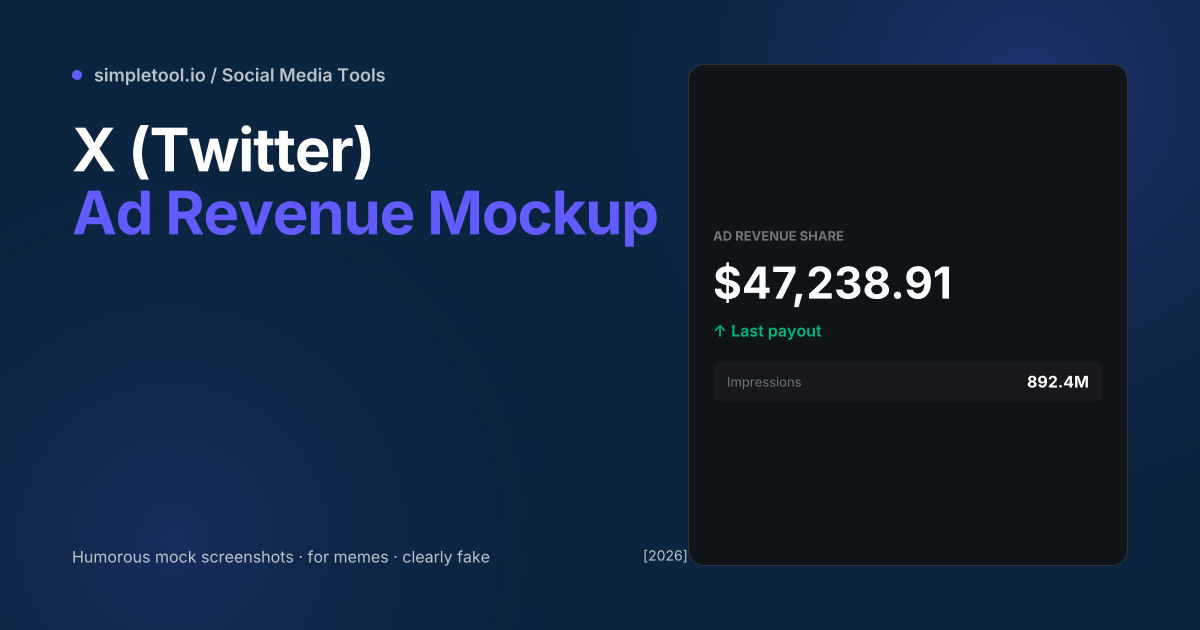
X’s creator-monetisation programme (launched July 2023, formerly “Ad Revenue Sharing”) pays verified accounts a share of ad revenue from impressions on their replies. Payout screenshots became a popular meme genre on the platform itself — creators humble-bragging modest amounts, satirists posting absurd figures, marketers using mock dashboards in tutorials about creator economy. The actual dashboard UI is dark-mode by default, with a large dollar figure as the hero stat.
Our X ad revenue generator recreates the dashboard’s visual layout — large amount, “Last payout” label, impressions count below — at the actual X-platform screen resolution. Customise the dollar amount, time period, impressions count, and verification status. Browser-only — your inputs never leave your device. This guide explains the legitimate uses, the legal lines, and why the tool exists at all (memes, mostly).
Legitimate uses
| Use case | OK? | Notes |
|---|---|---|
| Comedic meme post | Yes | Clearly humour, no deception |
| Course / tutorial about creator economy | Yes | Educational, mockup labelled |
| Slide presentation about social monetisation | Yes | Mock data in business context |
| Social commentary / satire | Yes | Protected speech in most jurisdictions |
| “Look how much I made!” deception | No | Misleading; can be fraud in commerce contexts |
| “Course you can earn $50K/month” sales tactic | No | FTC deceptive-marketing violation |
| Tax / income verification | No | Document fraud — illegal everywhere |
Rule: humour, education, and clearly-labeled mockups are fine. Anything that misleads someone about real income — especially in commerce, finance, or legal contexts — is fraud regardless of the tool used.
Why this tool exists
The “X ad revenue meme” became a recognisable format in late 2023 as creators started posting their first payouts. The genre includes:
- Humble-brag screenshots (“not retiring on this”)
- Satirical “$0.00” posts mocking the program
- Ridiculous fake figures ($1,000,000) for comedic exaggeration
- Comparison posts (“creator-payout from each platform” infographics)
- “Ad revenue from a single tweet” comedic posts
Mockup tools fit naturally — making the meme without screenshotting your actual dashboard avoids exposing real account details, real payout amounts, or other personal financial information. For comedy and education the mockup is cleaner than a real screenshot.
How to generate a mock revenue screenshot
- Open the X ad revenue generator
- Set the dollar amount (any value — funny large, funny small, realistic)
- Pick the time period label (“Last 28 days”, “Yesterday’s payout”, custom)
- Set the impressions count, monthly views, or engagement metric
- Toggle dark / light mode to match X’s current default
- Click Export for PNG ready to repost
The dashboard chrome we mimic
X’s creator dashboard uses a small set of consistent design elements:
- Background:
#0F1419(dark mode default) or#FFFFFF(light) - Card border:
#2F3336(dark) or#EFF3F4(light) - Hero amount: 44px+ bold weight, white in dark mode
- Label: 13px
#71767B(dark) or#536471(light), all-caps font weight 700 - Positive change indicator:
#00BA7Cgreen with up arrow - Sub-stats card:
#16181Cbackground,#71767Blabels, white values
Our generator outputs all this faithfully so the mockup reads as “real X dashboard” at a glance.
Common gotchas
- X’s dashboard UI changes. Meta updates the design every few months — colours shift, spacing adjusts, new metrics appear. Our generator captures the late-2024 / 2025 design; older mockups look outdated.
- Don’t include real handles. If you compose a mockup with someone else’s @username and a fake revenue number, that’s defamation territory. Use generic placeholder handles or your own.
- Watermark for clarity. For high-visibility memes, consider adding a small “MOCKUP” or “FAKE” watermark in a corner. It doesn’t hurt the joke and makes intent crystal-clear if the image escapes its original context.
- Currency formatting matters. X displays USD in most regions; non-US users sometimes see local currencies. Pick the format that matches your audience for authenticity.
- Don’t use real payment dates / months. If you generate a mockup that says “October 2025 payout” with a specific real-account amount, you’re claiming a real payout occurred — bigger legal risk than abstract numbers.
- Trademark caution. X’s logo and dashboard layout are Meta-owned trademarks. Using them in marketing materials (commercial advertising, paid promotions) without licensing is infringement. Comedy, satire, and editorial use generally fall under fair use; commercial use does not.
When NOT to use this tool
For real creator-payout reporting (tax forms, grant applications, sponsorship pitches with verified income), use real screenshots from your actual dashboard — never a mockup. For platform-criticism content, screenshots of real numbers (with personal info redacted) are more credible than fakes. For client deliverables claiming “this is what your account will earn”, any mock revenue figure is misleading marketing — show real estimates from your campaign data instead. The tool exists for humour and education; using it commercially in revenue-claim contexts crosses the line.
Frequently asked questions
Is this for real?
No — entirely fake. The output is a mock screenshot for memes, comedy, education, and design mockups. Don’t pass it off as a real payout; that’s misleading and can be illegal in commerce contexts.
Will the mockup look exactly like X’s dashboard?
Visually similar but not pixel-exact. We match colours, fonts, and layout to within a few percent of the real UI. X updates the design periodically; older mockups can look slightly off compared to the current dashboard.
Can I use this commercially?
For editorial use (blog posts about the creator economy, slides, comedy content): yes. For paid advertising or commercial work: trademark issues — X’s UI is Meta-owned. Get licensing or stick to clearly-labeled satire / commentary.
Why include impressions and other stats?
Real payout screenshots include impression counts, engagement rates, etc. Including them in the mockup makes the joke (or educational example) more recognisable.
Is my data uploaded?
No. The generator runs in your browser. Your inputs and the exported PNG stay on your device.
Can I add a watermark to make it clearly fake?
Yes — toggle “Add MOCKUP watermark” in the settings. Useful for memes shared in contexts where the audience might miss the joke and assume it’s real.
Related tools and guides
- X (Twitter) Ad Revenue Generator
- Tweet Generator
- Tweet to Image Converter
- Instagram Post Generator
- All social media tools