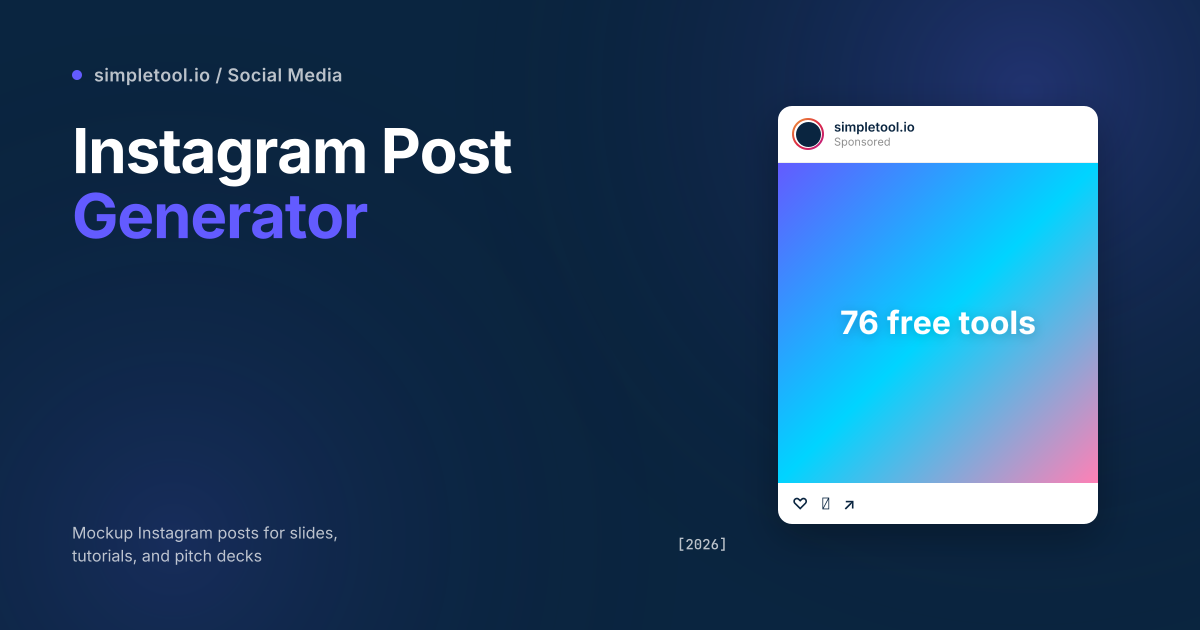
Mockup Instagram posts are the unsung hero of every marketing pitch deck. The agency selling a social campaign to a client shows mock feed posts before any creative is shot. The course creator teaching Instagram strategy needs example posts that don’t dox a real account. The product manager designing a feature with social-share UX needs realistic preview cards that match Instagram’s actual chrome.
Our Instagram post generator reproduces Instagram’s feed-post chrome faithfully — the gradient avatar ring, the verified badge, the heart/comment/share/save row, the caption with truncation, the time-since marker. Drop in your own image and account details, click export, get a high-res PNG. Everything renders client-side; nothing uploads. This guide explains the right and wrong uses of mock IG posts, the design fidelity tricks the tool gets right, and a flag on the legal/ethical line you shouldn’t cross.
What an Instagram post generator actually generates
Instagram’s feed UI has stayed remarkably consistent since 2018, with small refresh cycles. A faithful mock includes:
- Avatar with story-ring gradient — the warm orange-red-pink-purple gradient that wraps unwatched stories. Critical for “this looks real” recognition.
- Username + verified badge. Optional blue checkmark for the verified version. Don’t use this dishonestly — see the ethics section below.
- Location or “Sponsored” tag below the username for posts that have geotags or paid promotion.
- Square or portrait image filling the post. Instagram supports 1:1 (square), 4:5 (portrait), and 9:16 (Reels) — the generator handles all three.
- Action row: heart (like), comment bubble, paper-plane (DM), bookmark — left-aligned, with the bookmark right-aligned.
- Like count (“12,484 likes” or “Liked by friend and 247 others”).
- Username + caption on a single line at the start, with the caption truncating to “…more” beyond a few lines.
- Time-since marker (“2 HOURS AGO”, “YESTERDAY”, “JANUARY 14”).
Each of these elements is a small detail, but missing one breaks the illusion. The generator handles all of them at the right pixel sizes and font weights to match Instagram’s iOS chrome.
Five legitimate uses for a mock Instagram post
- Pitch decks for clients. “Here’s what your campaign would look like in feed” — far more compelling than a flat brief mockup. Agencies use these before any creative is produced.
- Tutorial screenshots. Course content teaching social strategy, “how to run an IG ad”, or analytics walkthroughs. Mock posts avoid showing real accounts that would need consent.
- Internal product mockups. Designing a feature where users will share to Instagram and want to preview the share-card. A faithful mock is faster than building a real share flow.
- Marketing case studies. Showing what previous campaigns looked like without doxing the original creator’s real handle. Replace the username, keep the visual.
- Tutorial articles and YouTube thumbnails. “How to grow on Instagram” content visualises strategy with mock posts. Looks professional, costs nothing.
How to use the browser Instagram post generator
- Open the Instagram post generator
- Pick a post type — Square (1:1), Portrait (4:5), or Reel/Story (9:16)
- Upload an avatar image and a main post image (or use the placeholder gradients to start)
- Fill in account details: username, verified status, location/sponsored tag
- Write a caption (multi-line supported, with realistic truncation)
- Set engagement counts: likes, comment count, time-since
- Click Export PNG. The result downloads at 2x retina resolution for crisp use in slides and decks
The avatar and post image stay on your device — the generator uses them only to render the canvas locally. Nothing uploads to a server.
The ethics line — when mock IG posts cross into deception
Generated Instagram posts are presentation tools. They become problematic when used to deceive specific audiences, fabricate engagement, or impersonate real accounts. Three specific lines you should not cross:
- Don’t impersonate real accounts. Using a mock with a real celebrity’s username and a fabricated post they never actually shared is impersonation — illegal in many jurisdictions, and against Instagram’s Terms of Service. Both potentially expose you to defamation claims.
- Don’t fabricate engagement to mislead. A mock with “1.2M likes” attached to your own brand’s post in a pitch deck implies social proof you haven’t earned. Reasonable for “what success could look like” framing; deceptive when shown without context.
- Don’t pass mocks off as real posts to journalists or investors. “Look, my brand went viral” with a mock screenshot in a press kit is fraud. Auditors and investors check sources; reputational damage from being caught is catastrophic.
A safer approach: mark mock posts clearly as illustrations in any external-facing context. “Conceptual mockup” or “Illustrative example” footer text protects you and respects the audience.
Design fidelity details that separate a good mock from a bad one
- Story-ring gradient direction. Instagram’s gradient runs from yellow-orange at top-left to magenta-purple at bottom-right. Mocks that get this backwards fool no one who actually uses Instagram.
- Caption truncation behaviour. Instagram truncates around the third line with “… more” in the platform-grey colour. Mocks that show the full caption inline read as wrong instantly.
- Like count formatting. Counts above 10,000 use abbreviated form (“12.4K likes”); above 1,000,000 it’s “1.2M”. Wrong formats give away the mock.
- Time-since formatting. Instagram uses “2h”, “1d” within the post but “2 HOURS AGO”, “1 DAY AGO” in caps in the older detail view. Match the right context to the right format.
- Verified badge placement. The blue checkmark goes immediately after the username, not separated by a space. Wrong placement kills the illusion.