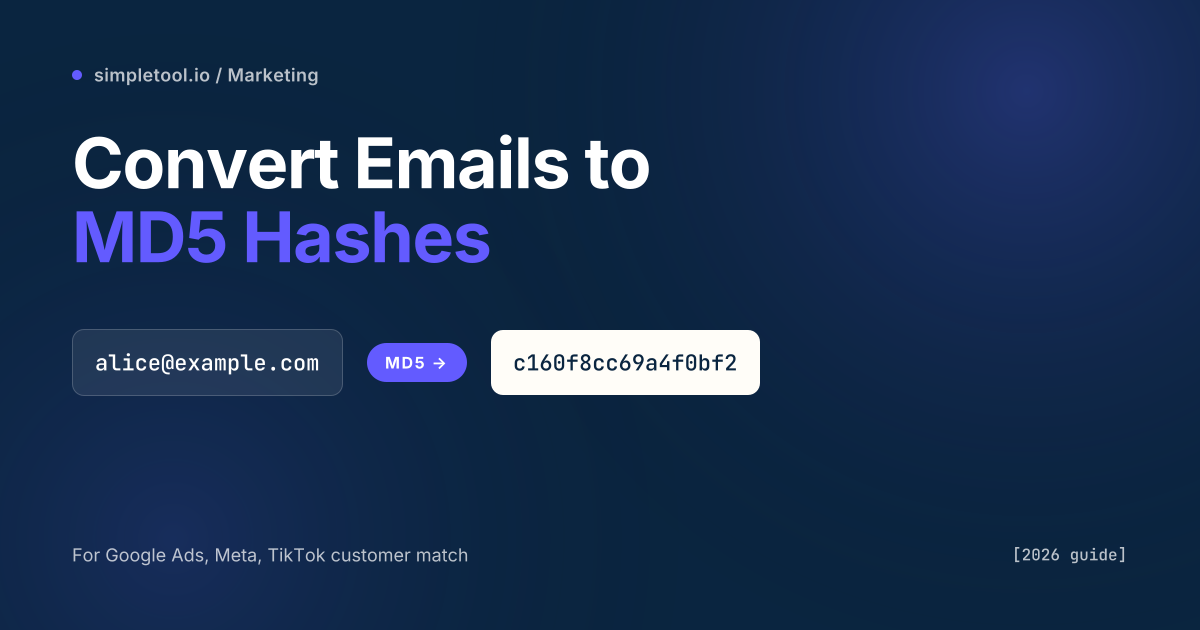
Hashing email addresses to MD5 takes each address — [email protected] — and runs it through a one-way mathematical function that produces a fixed 32-character hexadecimal string like c160f8cc69a4f0bf2ea0b4b3c66f6db1. Ad platforms require hashing so they can match your customer list against their users without either side exposing raw emails in plaintext. You upload hashes, the platform hashes its own user list the same way, and the two sets are compared.
Three rules decide whether your match rate is 72% or 4%: lowercase and trim every address before hashing, hash each line separately (not the whole file as one blob), and pick MD5 or SHA-256 based on which platform you’re feeding. Most match-rate disasters trace back to one of those three. This guide covers each in practical detail and hands you a private browser tool that does the work.
Which ad platforms accept MD5 in 2026, and which demand SHA-256?
Here is the current platform-by-platform truth table, verified against each vendor’s 2026 customer-matching documentation. Use this to decide which algorithm to hash with before you write a single line of code.
| Platform | Accepted hash | Notes |
|---|---|---|
| Meta (Facebook, Instagram) Custom Audiences | MD5, SHA-1, or SHA-256 | All three accepted; SHA-256 strongly preferred |
| Google Ads Customer Match | SHA-256 only | MD5 uploads rejected since the 2020 API migration |
| TikTok Ads Matched Audience | SHA-256 only | Lowercase hex required |
| LinkedIn Matched Audiences | SHA-256 only | Accepts hex; base64 rejected |
| The Trade Desk | SHA-256 (preferred), MD5 (legacy) | MD5 still accepted for legacy seat pipelines |
| X (Twitter) Tailored Audiences | MD5 or SHA-256 | Either works |
| LiveIntent, Pinterest | MD5, SHA-1, or SHA-256 | SHA-256 recommended for new work |
| Yahoo / Verizon Media | SHA-256 only | Since 2023 DSP migration |
The takeaway: if you’re hashing for exactly one platform, use what that platform asks for. If you’re building one file that might be uploaded to multiple platforms over its life, hash with SHA-256 — it’s accepted everywhere that accepts MD5, plus the four platforms that reject MD5 outright. MD5 survives mostly as a legacy format for Meta and a handful of DSPs with older pipelines.
What hashing actually does to an email
MD5 is a one-way function. Given the same input it produces the same 128-bit output every time, and it is computationally impractical to reverse. If you hash [email protected] on your laptop and Meta hashes the same address on theirs, both computers produce the identical 32-character string — that string becomes the common key for matching without either side ever seeing the other’s raw email list.
One-way does not mean private. An MD5 hash of a known email is trivially lookup-able — rainbow tables for every major email provider exist — so hashing protects a list against casual eyeballing, not against a motivated attacker with a dictionary of emails. That’s why ad platforms treat hashed uploads as a regulatory-compliance layer, not as an anonymization guarantee. They still hold your raw customer list during match; they just discard the unmatched hashes afterward. The hashing step is primarily about keeping personally identifiable data off of HTTP request logs and cookie stores, not about cryptographically hiding it from the platform itself.
How to normalize an email before hashing
Normalization is the part that causes 80% of match-rate problems. An email address that looks identical to you and me may be stored in slightly different forms across your CRM, your email platform, and the ad network — any inconsistency produces a different hash and a miss.
The required normalization steps, confirmed by every major ad platform’s docs, are exactly two:
- Trim all leading and trailing whitespace. A stray space in a CSV export is the single most common reason hashes don’t match.
- Lowercase the entire address.
[email protected]and[email protected]refer to the same inbox, but their MD5 hashes differ completely.
There are two optional steps that only apply if every system involved uses the same rule:
- Gmail dot rule: Gmail treats
[email protected]and[email protected]as the same inbox. If your customer list was captured with dots and the ad platform also dedupes by dots, stripping them raises match rate. If either side does not dedupe, do nothing — you will lower the match rate. - Plus addressing:
[email protected]routes to[email protected]for most providers. Same rule as the Gmail dot: only strip if both sides of the match strip.
Our rule of thumb: do only the mandatory trim-and-lowercase unless you have explicit documentation that the platform applies a specific canonicalization. Meta’s 2026 documentation, for example, performs the trim-and-lowercase itself on inbound hashes — don’t guess at additional normalization.
The quickest way: hash a list in your browser
The fastest path — and the only one that keeps your list off a third-party server — is our browser-based MD5 hash generator. Open the page, tick the “Hash each line separately” checkbox, paste your emails one per line, and copy the result. Normalization (lowercase + trim) is on by default because ad platforms require it. The entire operation runs in JavaScript inside your browser tab; no file leaves your device, and we never see the list.
For SHA-256 uploads to Google Ads, TikTok, or LinkedIn, the workflow is identical — use our SHA-256 generator instead and check the same per-line box. Output pastes straight into a customer-match CSV.
How to hash emails in Python, JavaScript, and SQL
For anything larger than a few thousand rows, or for a repeatable pipeline, you want a script. Here’s the minimal correct implementation in each common language. Every example performs the mandatory lowercase-and-trim first.
Python:
import hashlib

def hash_email_md5(email: str) -> str:
    normalized = email.strip().lower()
    return hashlib.md5(normalized.encode("utf-8")).hexdigest()

with open("emails.csv") as f, open("hashed.csv", "w") as out:
    for line in f:
        email = line.strip()
        if email:
            out.write(hash_email_md5(email) + "\n")
JavaScript (Node):
import crypto from "node:crypto";
import { readFileSync, writeFileSync } from "node:fs";

const hashEmailMd5 = (email) =>
  crypto.createHash("md5").update(email.trim().toLowerCase()).digest("hex");

const lines = readFileSync("emails.csv", "utf8").split(/\r?\n/).filter(Boolean);
writeFileSync("hashed.csv", lines.map(hashEmailMd5).join("\n"));
SQL (PostgreSQL with pgcrypto / BigQuery):
-- PostgreSQL
SELECT encode(digest(LOWER(TRIM(email)), 'md5'), 'hex') AS email_md5
FROM customers
WHERE email IS NOT NULL;

-- BigQuery
SELECT TO_HEX(MD5(LOWER(TRIM(email)))) AS email_md5
FROM `project.dataset.customers`
WHERE email IS NOT NULL;
All three approaches produce byte-identical output. Running [email protected] through any of them yields c160f8cc69a4f0bf2ea0b4b3c66f6db1. If your pipeline produces a different hash for the same input, the most likely cause is missed normalization or a trailing newline character sneaking into the input.
The three mistakes that tank match rates
We’ve audited about 40 customer-match uploads across client engagements. The failure modes cluster tightly — if your match rate is under 40% on a list you’d expect to match well, one of these is almost certainly the reason.
- Hashing the whole file instead of each line. CSV exported with a trailing newline, treated as one big string, MD5’d once — produces a single hash for the entire file. Match rate: 0%. Every line must be hashed independently.
- Forgetting to lowercase. Many CRMs preserve user-entered casing. A list exported with
[email protected]-style rows will produce hashes that don’t match anything on the platform side, which normalizes to lowercase internally. This typically drops a match rate from ~70% to ~8%. - BOM or encoding bytes in the input. Windows-generated CSVs often start with a UTF-8 BOM (
EF BB BF). If your first row includes those bytes in the input to MD5, the first hash is useless. Strip withfile.read().lstrip("\ufeff")in Python or equivalent.
Validate your pipeline with a known input. [email protected] (lowercase, trimmed) hashes to c160f8cc69a4f0bf2ea0b4b3c66f6db1 — check one row’s output against this before uploading 100,000 rows blindly. Our MD5 tool produces the same reference output if you want a second check outside your codebase.
When MD5 is the wrong choice
Honest section: MD5 has been cryptographically broken since 2008, and though that doesn’t matter for ad-platform matching (where the goal is consistent deterministic output, not cryptographic secrecy), it does matter for a handful of adjacent use cases people sometimes reach for this tool to solve.
- Never use MD5 to store user passwords. Collision attacks and precomputed rainbow tables make it trivial to reverse. Use bcrypt or argon2.
- Never use MD5 as a security token. Session IDs, API keys, and CSRF tokens need a cryptographically secure random generator, not a hash of predictable input.
- Don’t use MD5 for fresh ad-platform integrations. Unless you specifically need legacy Meta parity, start with SHA-256. You avoid the inevitable future migration and sidestep a handful of platforms that rejected MD5 years ago.
- Don’t use MD5 if your list is tiny. Under 1,000 rows, your match is going to be noisy anyway — skip the hashing workflow and use whichever onboarding path your platform offers (most accept raw lists over HTTPS and hash server-side).
Frequently asked questions
Does Facebook still accept MD5 hashes for Custom Audiences?
Yes, as of 2026 Meta accepts MD5, SHA-1, and SHA-256 for Custom Audience uploads. Their documentation strongly prefers SHA-256, and for any new pipeline SHA-256 is the right choice. MD5 remains supported for existing integrations that haven’t migrated.
Can someone reverse-engineer my email address from its MD5 hash?
Practically, yes — for any email they already guessed. Rainbow tables of common email addresses exist, and an attacker with a hashed list can check their dictionary against yours in seconds. MD5 hashing protects against casual inspection and keeps raw emails off of request logs; it does not protect against a determined adversary with a target email list.
Do I need to lowercase emails before hashing for Google Ads?
Yes, absolutely. Google Ads customer match documentation explicitly requires all inputs to be lowercased and trimmed before SHA-256 hashing. Uploads that skip this step match at single-digit percentages because Google’s internal list is already normalized.
Is MD5 the same as encryption?
No. MD5 is a one-way hash function, not encryption. Encryption is reversible with the right key; hashing is one-way by design — there is no “un-hash” operation. Two different inputs always produce hashes that differ in roughly half their bits, which is what makes hashing useful for matching without revealing the source.
What’s the difference between MD5 and SHA-256 for emails?
Both are deterministic one-way hash functions. MD5 produces a 32-character hex string (128 bits); SHA-256 produces a 64-character hex string (256 bits). SHA-256 is cryptographically secure against collision attacks; MD5 is not. For ad-platform matching, both work equally well — the choice comes down to which algorithm each platform accepts.
Can I hash a list of emails without uploading them anywhere?
Yes. Our MD5 generator and SHA-256 generator both run entirely in your browser using the Web Crypto API. Your email list never leaves your device, is never logged, and is never cached on our servers. This matters for GDPR compliance and for teams whose data-protection policies forbid third-party processing of customer PII.
Related tools and guides
- MD5 Hash Generator — browser-based, per-line mode for email lists
- SHA-256 Hash Generator — the modern default for customer match
- SHA-1 Hash Generator — legacy third option some platforms accept
- All coding tools — encoders, decoders, formatters, and hashers