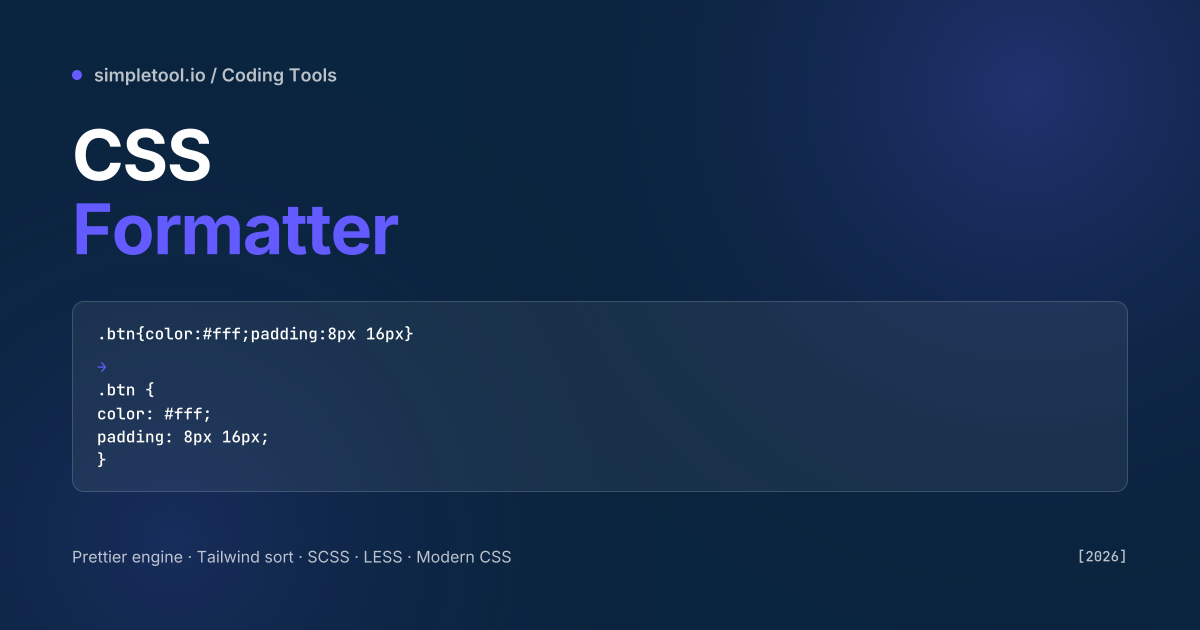
@layer, OKLCH — plus SCSS, LESS, and PostCSS.Reading minified CSS is a productivity tax. Tailwind’s compiled stylesheet is one giant line; a copied snippet from CodePen often arrives as a single rule with no breaks; CSS dumped from DevTools’ “Copy all declarations” comes back without the selectors that gave each rule meaning. A formatter restores hierarchy: each rule on its own line, properties indented, @media blocks visible at a glance.
Our CSS formatter runs Prettier 3 in your browser with the same parser used by VS Code’s “Format Document” command. It handles plain CSS, SCSS, LESS, PostCSS, and modern CSS features (CSS variables, native nesting, :has(), container queries, @layer, OKLCH, color-mix()). Outputs clean, idiomatic CSS that round-trips through any tool. This guide covers when to format vs minify, the SCSS-specific rules, and the gotchas with copied browser DevTools styles.
Prettier CSS options that matter
| Option | Default | Notes |
|---|---|---|
printWidth |
80 | Affects wrapping of long selectors and value lists |
tabWidth |
2 | Standard for modern CSS; 4 for legacy stacks |
singleQuote |
false | Strings in url() and content: values |
endOfLine |
“lf” | “crlf” only for Windows-only repos |
| Property sort | off | Optional — alphabetical, or by Idiomatic CSS groupings |
Prettier’s CSS formatter is deliberately small on options. Modern CSS toolchains add property sorting via separate plugins — stylelint-config-prettier + stylelint-order — rather than baking it into the formatter.
SCSS, LESS, and PostCSS
The same Prettier engine handles three preprocessor dialects:
- SCSS: nested selectors,
@mixin,@include,@if/@else,@function, dollar-prefixed variables. Indentation follows nesting depth. - LESS: mixins as classes,
@variablesyntax, guards. Slightly different rules than SCSS. - PostCSS: raw CSS plus plugin-specific syntax. Prettier formats whatever is valid CSS-AST — plugin syntax (e.g.,
@applyfrom Tailwind) passes through.
Pick the parser explicitly when auto-detection fails. .scss file extension defaults to SCSS; .less defaults to LESS; .css defaults to plain CSS. Paste-mode without an extension defaults to plain CSS, which can produce odd output for SCSS code (mixin syntax becomes invalid CSS).
How to format CSS in your browser
- Open the CSS formatter
- Paste your CSS or drop in a
.css/.scss/.lessfile - Pick the parser if auto-detect doesn’t catch it
- Adjust print width and indent style if needed
- Click Format — output appears with syntax highlighting
- Copy or download as
.css
Modern CSS that older formatters break
Older CSS beautifiers (cssbeautify, online-beautify) corrupt several modern features:
- Native nesting:
.card { .title { color: red; } }— older formatters flatten or fail to parse. Prettier handles nesting correctly. - Container queries:
@container (width > 400px) { … }— preserved with all syntax variants. - :has() selector: the parent selector is preserved without quote-mangling.
- OKLCH and color-mix(): new colour formats pass through unchanged.
- @layer: cascade layer ordering is preserved exactly — never reordered, since order has semantic meaning.
- CSS custom properties: long fallback chains (
var(--a, var(--b, red))) are preserved verbatim.
Common gotchas
- Tailwind utility class output is not formatted. Tailwind generates a flat list of single-rule classes; formatting won’t help. Format your custom CSS only — let Tailwind manage its own output.
- DevTools “Copy all declarations” loses selectors. The clipboard gets
color: red; padding: 8px;with no.btn { … }wrapper. Format won’t recover the selector — re-copy with the selector context. - Property order is preserved by default. CSS cascade-sensitive code relies on order for shorthand-then-override patterns (
margin: 0; margin-top: 8px;). Don’t enable property sorting if you have that pattern. - SCSS @mixin formatting is opinionated. Prettier always inlines short mixin calls; long ones wrap. Your style guide may differ. Override locally with
// prettier-ignorecomments above specific blocks. - Don’t format minified CSS and re-deploy. Format your source files; let your build step minify the output. Formatted production CSS is 30% bigger and slower.
- Older Prettier versions handle modern CSS poorly. Always use Prettier 3+ for native nesting, container queries, and the OKLCH colour space. Prettier 2.x will silently produce wrong output for these.
When NOT to use a browser CSS formatter
For a real codebase, install Prettier locally (npm i -D prettier), commit a .prettierrc, and let editors format on save. That eliminates style drift across collaborators. Use this browser tool for one-off snippets, copy-paste from CodePen / DevTools / AI assistants, third-party stylesheets you need to inspect, and quick previews of how Prettier would render styles in a project that doesn’t have it set up yet. For Stylelint integration, install stylelint-config-prettier alongside Prettier locally.
Frequently asked questions
Does this support SCSS, LESS, and PostCSS?
Yes. Prettier 3 handles plain CSS, SCSS, LESS, and PostCSS. Auto-detection picks the parser from the file extension; you can override manually for paste-mode (file extension is unknown).
Will the formatter sort my properties alphabetically?
Not by default. Prettier preserves property order — important because some CSS relies on order for shorthand-then-override patterns. Property sorting is a separate Stylelint plugin (stylelint-order); install it locally if you want sorted output.
Does it support modern CSS features like nesting and container queries?
Yes. Prettier 3 handles native CSS nesting, container queries, :has(), @layer, OKLCH, color-mix(), and relative-colour syntax. Older formatters break these — always use Prettier 3+ for modern stylesheets.
Can I unformat (minify) CSS with this tool?
No — opposite operations. For minification, use the CSS Minifier. The typical pipeline: format while editing, minify before deploying.
Is my CSS uploaded?
No. Prettier runs in your browser via WebAssembly. Stylesheets never reach our servers — useful for proprietary or pre-release styles.
Why does my SCSS look wrong after formatting?
Most likely the parser was set to plain CSS instead of SCSS. SCSS-specific syntax (@mixin, @include, dollar variables) is invalid CSS. Switch the parser to SCSS and reformat.
Related tools and guides